How to Apply for the SLTS 2nd EB Examination: Complete Step-by-Step Guide
Everything Sri Lanka Teachers’ Service officers need to know to submit a valid online application through the Department of Examinations.
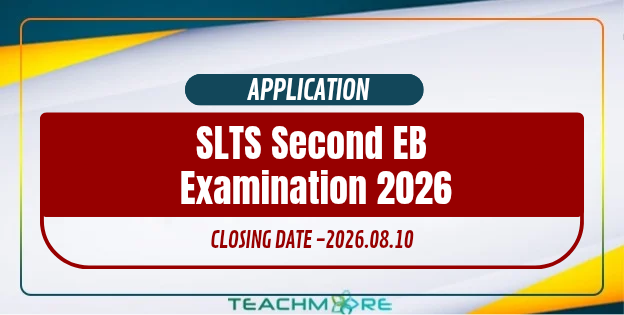
The Sri Lanka Teachers’ Service (SLTS) 2nd Efficiency Bar (EB) Examination is a mandatory professional milestone for teachers serving in national and provincial schools across Sri Lanka. Passing this examination is essential for career progression, salary increments, and further promotions within the teacher service framework. If you’re preparing to apply online through the Department of Examinations portal, this guide walks you through the entire process from start to finish.
Exam Overview & Key Highlights
| Feature | Details |
|---|---|
| Exam Name | 2nd Efficiency Bar Examination for Officers of SLTS |
| Conducting Authority | Department of Examinations, Sri Lanka |
| Application Portal | www.doenets.lk / applications.doenets.lk |
| Application Medium | Online — must be completed in English only |
| Target Audience | Teachers recruited to or promoted to Grade 2-II |
Prerequisites Before You Apply
- National Identity Card (NIC): Must be your own — using another person’s NIC is strictly prohibited.
- Active mobile number: All SMS notifications about your application and exam will be sent here.
- Active email address: Required for portal authentication and receiving receipts or download links.
- Payment method: A credit/debit card enabled for online transactions, Bank of Ceylon online banking (B App / Flex App), or cash payment at a BOC branch.
Step-by-Step Online Application Process
1 Access the Online Application Portal
- Visit www.doenets.lk, the official Department of Examinations website.
- Under “Our Services,” click “Online Applications (EB/Recruitment Exams)” — or go directly to applications.doenets.lk.
- On the homepage, select “Apply for Exams.”
2 Select the Exam & Log In
- Locate the SLTS 2nd Efficiency Bar Examination in the list of ongoing exams and click “Apply.”
- Enter your NIC number, mobile number, and email address.
- Agree to the Terms and Conditions, complete the reCAPTCHA, and click “Next.”
- Enter the OTP sent to your mobile or email and click “Submit.”
3 Fill Out the Application Form
- Complete all required fields accurately, in English only.
- Click “Save” to store progress and return later before the deadline.
- Once everything is correct, click “Submit this Application.”
4 Preview and Confirm Application
- Review your personal and professional details carefully. Use “Edit & Submit” to fix any mistakes.
- Check the confirmation box, then select your candidate status:
- First-time candidates: Click “First Time (Toll Free)” — no exam fee applies. Proceed directly to download your application.
- Repeat candidates: Click “Pay for Subjects” to proceed to payment.
Payment Methods & Fee Structure
Repeat applicants must pay for each subject they’re appearing for. Enter the number of subjects, tick the agreement box, and click “Proceed to Payments.”
💳 Credit / Debit Card
VISA and MasterCard supported. A 1.7% service charge applies on top of the exam fee.
🏦 BOC Online Banking
Via B App / Flex App: select Govt. Bills → Department of Examinations, enter your reference number (E*****). No extra charge.
🏧 BOC Branch Cash Deposit
Use your reference number starting with E***** at any BOC branch. A LKR 20.00 service fee applies.
✅ After Payment
Return to the portal, click “Continue After Payment,” enter your reference number, and click “Complete & Submit.”
Final Steps: Printing and Posting Your Application
- Click “Download My Application” to generate the PDF copy and print it.
- Do not make handwritten changes — this will invalidate the application.
- Sign the application in the designated area.
- Get your signature attested by the Head of Department / School Principal.
- Send the certified hard copy via Registered Post to the address given in the relevant Gazette notification.
- Keep your Registered Post receipt safe for future inquiries.
Contact Information
For queries, contact the Department of Examinations during office hours (8:30 AM – 4:30 PM):